HackTown
Cyber Criminal University - Home

You are not logged in. You will only be able to access the courses in GREEN from the course list.
Chapter 7 - VPS, RDP, & VPNs

Only use anonymous email providers that you can access over Tor when signing up for any service provider and only purchase the RDP, VPS, or VPN with untraceable crypto which you'll learn about in Chapter 8.
Virtual Private Servers (VPS)
Using Virtual Private Servers (VPS) is another tool in your toolkit when in remaining anonymous while hacking or committing whatever cybercrime you're into these days. These "virtual" servers are rented either on a dedicated or shared hosting provider usually from a Internet hosting service provider or third party provider.
It's good advice to seek out providers that originate in countries that do not cooperate with the country you reside in. The benefit to using VPS's is you're able to log into them over Tor through SSH and can launch a hack from the VPS. Any trace or investigation will lead back to the VPS IP you've rented and since you've logged in through Tor and taken the proper steps to keep yourself anonymous you should have little to worry about.
Another benefit of using a VPS to launch your attacks from is that some scripts, programs, and techniques can take hours, days, if not weeks to complete. It's nice to log into a VPS and launch the attack and check back in a few days when it's completed instead of sitting by your computer waiting for it to finish. Think about the steps you've taken to hinder an investigation just by using a VPS logging in over Tor. Ideally you're on a public Wi-Fi or hacked Wi-Fi network connecting to a VPS over Tor launching your attacks from the VPS. You could even get a VPN or route everything through Tor on your VPS. You think you're going to get tracked? You're good.
It should be noted that you should never ever assume the VPS is secure due to the fact that the provider can always see everything on it if they wanted to. They can make a copy of your VPS, sniff traffic, and store all your information at a later date to go through. You should only be using such things for attacks and should not be storing valuable information on them. A VPS can be configured for the majority of operating systems out there and are reasonably priced between $5-40 USD/month which can be acquired through Cryptocurrencies or pre-paid methods. As you progress through your cybercrimnial life one day you can use the servers you've hacked for the same purpose but for now purchasing a VPS with crypto is a good way to get started and feel comfortable you're not being tracked to your location.
Honestly sometimes using your own VPS with the proper specs to launch an attack is better than acquiring a hacked server. Hacked servers can be a wish wash of things with other hackers already have compromised them, monitored by others, a honeypot, or they have detected a breach and have wiped your access. This isn't good.
No VPS provider is recommended but whoever you go with ensure:
You should research VPS providers that accept cryptocurrencies or other "anonymous" forms of payment and find the cheapest one to try out.Once you've found one purchase a plan that is the shortest and cheapest with an installation of Ubuntu (or your flavor of Linux). Use fake details but keep note of all the details you've used to register with as you may need them again should you forget your password, logins, need to restart the server, etc.
It's best to see which IP you're using while using Tor and research a company in that area to use the details when signing up for things. It'll help bypass some of their online fraud detections.
For example, I'm using Tor and I would check what my IP is at https://whatismyip.com or a similar website. In this example my Tor exit IP is located in Mexico. Therefore, I would look for companies in Mexico and use their addresses when registering online to avoid any problems. Each VPS provider is different but why chance it. This way a connection from Mexico is registering on their website with a Mexican address. Use real addresses that are associated to the geographical area that your IP is at the time.
Google Keywords: Bitcoin payment VPS, VPS Bitcoin, VPS Bitcoin payment, etc.
Once you've completed your purchase it may take a few hours to have the VPS setup and you should either receive your login details at the time of purchase or e-mailed to you afterwards. When you've received your credentials to your VPS you will log into it via SSH over Tor. Do not log into the VPS without SSH over Tor or risk anything that would reveal your IP to the VPS provider. Don't do this. Use SSH over Tor when connecting to the VPS.
If you're using Whonix or Tails you can simply SSH into your VPS over Tor without any worries with:
ssh USERNAME@IP
For the people who want to use Windows or macOS you would need to run the Tor standalone file first and then connect to your VPS with the right proxy settings enabled ensuring your connection is routed through Tor. And this is why most people use Tails and Whonix since all of this is already done for you. People using Windows, macOS, or Linux need to ensure they're doing it properly. Depends on you.
Below is the information to ensure everything is routed through Tor if you choose not to do it through Whonix or Tails but instead on your host OS (Windows, macOS, etc.).
To SSH into your VPS you'll need to run the Tor standalone file first.
Go to the directory where the Tor Browser has been downloaded into:
Windows (from the command line)
Open Command Prompt and type:
cd Tor Browser\Browser\TorBrowser\Tor
tor.exe
Linux (Ubuntu, Kali, etc.)
Open Terminal and type:
cd tor-browser_en-US/Browser/TorBrowser/Tor
./tor
macOS
Open Terminal and type:
cd /Applications/Tor\ Browser.app/Contents/MacOS/Tor
./tor
This will start the Tor stand alone and make a connection to the Tor network through the default port 9050. You can now re-direct applications to 127.0.0.1:9050 to funnel them through Tor.
If you're using Windows you will need to download and install Putty and configure it to use a proxy for 127.0.0.1 Port: 9050.
The example below is meant for macOS and Linux based operating systems.
Open a new terminal window while keeping the Tor standalone running and connect to your VPS. Paste the following command into terminal changing the USERNAME and VPS_IP to match the credentials given to you by the VPS provider
This command above uses SSH over Tor to connect to your VPS.
Why is this important?- You launch hacks from the VPS.
- Police are notified of the cyber-attack.
- IP linked to the VPS purchased anonymously with Bitcoin.
- A warrant is sent to the VPS to see what IP connected to the VPS.
- That IP is linked to a Tor exit node.
- You're still free.
Once logged into your VPS always remember to keep it updated and install the appropriate upgrades needed. In general, these commands will keep your bash history from being spied on:
unset HISTFILE
cat /dev/null > .bash_history
history -c
export HISTFILESIZE=0
export HISTSIZE=0
echo 'set +o history' >> /etc/profile
echo 'set +o history' >> ~/.bashrc
export HISTFILE=/dev/null
Explainations:
unset HISTFILE = Doesn't keep track of bash history.
cat /dev/null > .bash_history = Makes sure history goes to /dev/null to die.
history -c = Clears bash history
export HISTFILESIZE=0 = Makes the history file size 0 ensuring nothing can be entered.
echo 'set +o history' >> /etc/profile = Ensures there's no bash history stored.
echo 'set +o history' >> ~/.bashrc = Ensures there's no bash history stored.
You can install any programs on the VPS such as scripts, brute forcing programs, nmap, Metasploit, and other things that will be needed for the cyber warfare madness you plan on doing. Any program that runs on Kali can be installed on the VPS for launching attacks but this course is not meant to tell you what to install but rather give you the basics that you will need to remain as stealthy as possible when launching your attacks.
For example, I like using VPS's for setting up Metasploit listeners, Evilginx, RATs, Social Engineering ToolKit (SET), Empire listeners, BeEF, etc. and leaving them running so I can check back at my leisure instead of being glued to a computer.
Remote Desktop Protocol (RDP)
Remote Desktop Protocol (RDP) are essential for using a Windows machine on a VPS. Again, it's best to use a public Wi-Fi, and use VPN/Tor to connect to your RDP. From there you can utilize your Windows machine as another server to launch your attacks from depending on which programs you decide to use (APPscan, Netspark, Acunetix, etc.). Besides the connection being slow as fuck this will suit your needs when you want to use a Windows machine remotely. Personally, I only needed to use a RDP a few times and didn't require one but everyone will be different.
There's no specific RDP provider to use or special techniques when using one but the key factor is always follow the same VPN/VPS rules when purchasing a RDP from a RDP provider which means you're purchasing it with anonymous crypto, using throw away emails, and always connecting to your RDP machine over Tor.
Virtual Private Network (VPN)
Using a VPN is essential when conducting your dark web activities which you can also apply to your VM, VPS, and RDP machines. Let's assume your actions are being logged while you're connected to a Wi-Fi network either by the feds or at the ISP level. Anything that is sent over the network that's not encrypted can potentially be viewed by others in cleartext like a book.
The VPN will encrypt your communications from your computer/device to the Internet which means all your connections are going to your VPN provider and nothing else.
Not using a VPN will show that you're connecting to multiple websites, IP's, or a Tor entry node whereas using a VPN would only show you connecting to (1) IP.
That IP being your VPN provider with all the data in transit encrypted.
There's no recommendation on which VPN provider to use but ensure you're registering with them with an anonymous email and paying in anonymous crypto. Try and use only well-known providers that accept crypto such as NordVPN, AirVPN, and many others. A Google search away my friends. The takeaway point is to use a VPN so all your communications are secure and no one can see that you're connecting to Tor or otherwise.
That being said some may argue that using this method actually creates more problems for you since you're connecting to one single point everytime. If the VPN provider co-operated with the police then they could now see everything you're up to which is very problematic.
Personally, I use a VPN for specific things related to hacking and when I use Tor I do not run a VPN. If you want to make sure no none snooping on your connection can see you're using Tor then you would want to run a VPN first before connecting to Tor. That way anyone monitoring your connection wouldn't be able to see any Tor usage.
The reality is most people will take their cybersecurity to the extreme just to browse PornHub and play Minecraft.
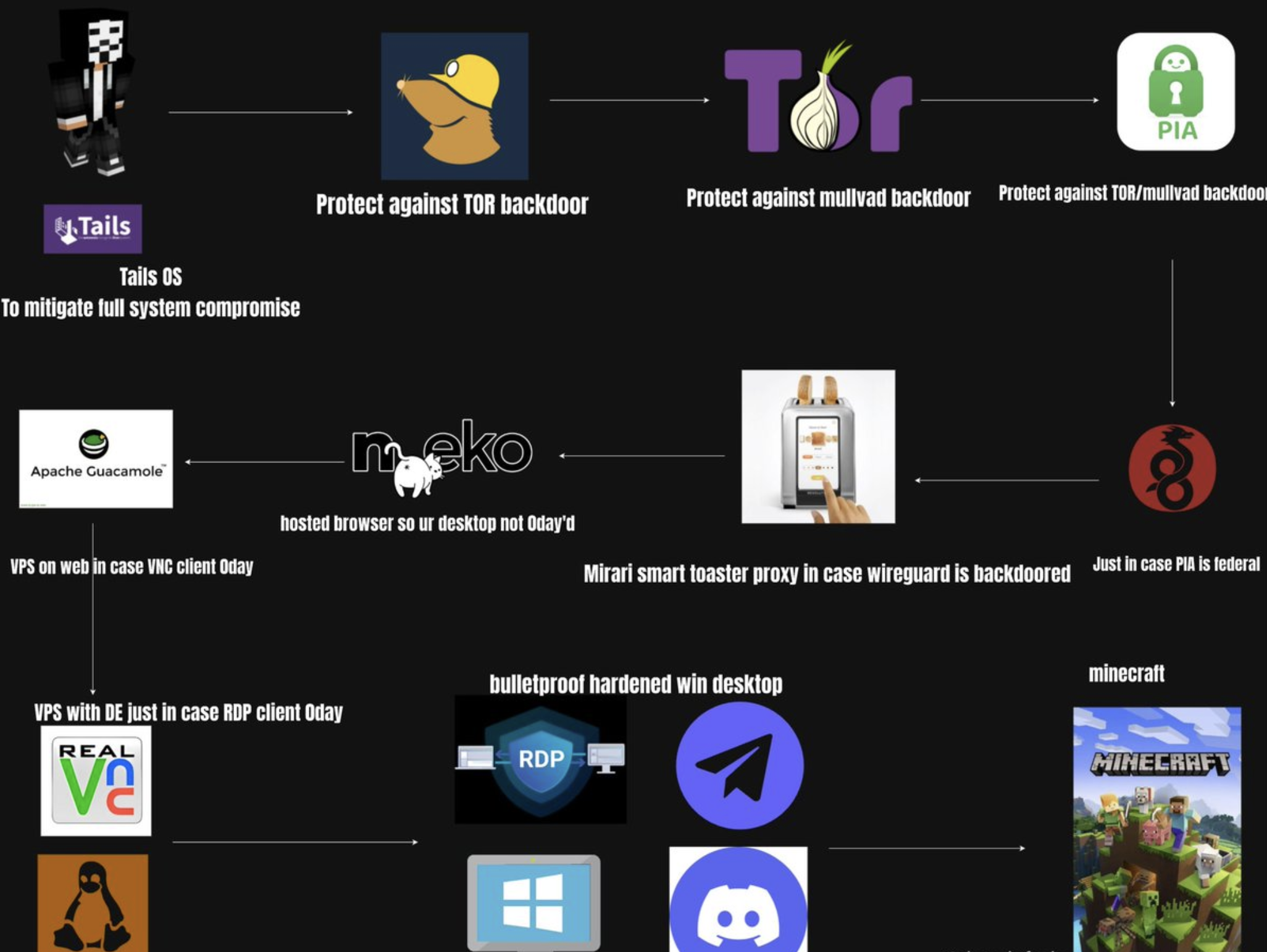
You only need to take it to the limit when you're going bananas in cybercrime.