HackTown
Cyber Criminal University - Home

You are not logged in. You will only be able to access the courses in GREEN from the course list.
Chapter 5 - Encryption
The encryption methods discussed in this chapter are required for encrypting your HD, SSD, USB, microSD card, SD card, or whatever you decide to use keeping your files and folders safe and secure. Obviously, as technology advances these programs and encryption methods may be crackable in the future by the police or government actors but as of today's writing of this course they can be considered secure.
First step is to use full disk encryption on your computer. What this means is that if your laptop is stolen or taken by LE for digital forensics they won't be able to mount your HD since everything is encrypted. This is important and required whether you're using Windows or macOS.
Most modern computers come equipped with Solid State Drives (SSD) which means you cannot reliably erase a file even when using BleachBit and other softwares. This is because how SSD's work. The "bits" that represent your files are moved around constantly to improve performance and balance the usage of memory sectors. That means there are potentially several places on the SSD where copies of your file's bytes may be lying around either waiting to be overwritten, or recovered using special software the LE possesses. The best protection you will have is fully encrypting your drive. This is very important so don't think by using programs that "securely delete" files will be enough. Full disk encryption is a must.
Once we have our HDs encrypted then we can figure out how we want to store our files and how we will encrypt them. Some people like to store everything on an encrypted USB for easy use and hiding whereas some people will create encrypted containers on the HD so they just need their laptop when they're out and about causing chaos.
Everyone is different and there isn't one way of doings things per se but the end result is everything MUST be encrypted.
Windows and macOS come with pre-installed full disk encryption methods that EVERYONE should be using. Once you have implemented full disk encryption on your computer then you will use an encryption program called VeraCrypt to encrypt your USBs or containers on your HD.
Full disk encryption is available to you easily and must be used.
FireVault (macOS)
BitLocker (Windows)
Linux Unified Key Setup (LUKS) (Ubuntu, *nix, etc.)
Now before you fly off the handle about being recommended to use FireVault, BitLocker, etc. as some people say closed source encryption cannot be trusted, is compromised, backdoored, not secure, etc. but the reality is that none of this is proven to date.
Using BitLocker or FireVault to encrypt your HD is recommended. Microsoft and Apple have proven using these technologies is not breakable and currently secure.
Now you could say that any closed source application can be backdoored and the FBI, NSA, LE, Mi5, Ministry of Intelligence, Federal Intelligence Service, CSIS, ASIS, FSB, and other agencies that have the keys to decrypt everything but the reality is they're not going to waste that ace in their pocket by revealing to the world they caught little old you and that they've broken XYZ encryption. If they have somehow broken or backdoored today's current encryption standards they'll be focusing on actual legitimate state sponsored attackers and bigger fish before letting everyone know that they've broken XYZ encryption and they caught a little fish selling meth online. If they do reveal they've compromised XYZ encryption just to bust you because you're that big of fish well then shit man I think you're fucked. Maybe...
It's important to note that cryptography analysts and cryptography experts would be alerting the public by posting on FB, X (Twitter), and going to the media if XYZ encryption is broken or backdoored because it sure as fuck won't be you who discovers this. It's in your best interest to be following some sort of social media keeping current on hacker news, IT security, Tor updates, etc. which will alert you of when and how such encryption has been broken.
Here are some places to bookmark and visit from time to time:
https://thehackernews.com
https://therecord.media/news/cybercrime
https://darkwebinformer.com
https://thedfirreport.com
https://www.detectionengineering.net
https://darkwebinformer.com
http://darkfailenbsdla5mal2mxn2uz66od5vtzd5qozslagrfzachha3f3id.onion
You're not a cryptography expert and you will never be one so stay informed as best you can and use the current recommended encryption programs until quantum computing fucks everything up. Keep yourself updated on court cases, arrests, other cases that involve encryption, and watch the news. Don't just implement shit and 5 years down the road be surprised that XYZ encryption is no longer valid. Pay attention because our current encryption standards will one day be broken.
You should be encrypting your hard drive with full disk encryption (BitLocker, FireVault, LUKS) and using a password for your laptop of at least 15+ characters with special characters that can be remembered easily.
As you'll come to see when you read about the Silk Road creator and AlphaBay admin arrests is that whatever setup you choose to implement whether that's using VMs or booting directly from a USB you want to ensure nothing on your "work" laptop can be associated to your real identity in any way possible. Encrypt your USBs, folders, and encrypt your HD. If you do all of that then you should be fine (unless they've cracked the encryption standards of BitLocker, FireVault, LUKS, VeraCrypt, etc. or they grabbed you with your laptop open and unencrypted). If they've cracked those encryptions then yes you're fucked. So is everyone and everything on the whole Internet really. If this is the case then whatever encryption is broken should make breaking news headlines as the Internet falls apart as it'll affect everyone globally. Pay attention!
But let's say you fucked up somehow and they do have your laptop. If you've heard of Silk Road then you should be aware it's no longer operational and the administrator has been jailed for life (actually he was pardoned lol don't worry about the MURDER FOR HIRE STUFF). He made an OPSec error and left his email where he shouldn't have and was captured in a San Francisco Library logged in to Silk Road as the admin among other things. All bad.
This goes the same for the AlphaBay administrator who was caught by Thai police that subsequently ended with him himself in a Thailand prison before they could extradite him to the US to face charges.
In both cases there was a distraction to get their attention to obtain their laptop powered on, unlocked, and unencrypted. This was key for the police investigation. So if you're a high level Vendor or whatever and they get your laptop when it's open, even though you've followed everything in this course blah blah blah, you're still fucked. Best case scenario is you want your door kicked in when your laptop is off and everything encrypted. If you get grabbed when your laptop is open you should put %110 in getting that laptop locked or turned off because you're fighting for your life here, literally, so treat anything out of the norm as suspicious when sitting at the coffee shop, work, library, etc. and pay attention to your surroundings when doing your thing. But honestly these cops are fucking clever. As long as you're not using your home network or somehow crossed online identities leading them back to you it's very difficult to track you especially if you throw in the items you'll learn in this course you're pretty much impossible to track.
All of this doesn't matter if they somehow have busted you with your laptop open and everything unencrypted.
Do you know about Silk Road? Do you really know the story? Do you know about Alphabay? Even if you think you do just read the articles below and relive the drama.
If you want, you can read part 1 and all of part 2. It's an excellent insight into the arrest of the Silk Road administrator.
You read it? Damn right? That's some fucked up shit.
What we can take away from this is we know that by having our laptops powered on, unlocked, and unencrypted when the police nab you then you're fucked. Were the admins of Silk Road and AlphaBay idiots? No! They made a mistake and crossed identities and left a digital trail. If it wasn't for that who knows how long their tyranny could’ve lasted for. We want to learn from this.
Let's say they do get your laptop, hopefully locked and encrypted or you're done son, say nothing and request a lawyer. They will have circumstantial evidence but will need that solid key piece to actually link it to you! If they have enough evidence against you why in the world would they be wanting the information on your laptop. This is what they will need, and this is what you need to keep clean and secure.
Just like O.J Simpson was thought to be guilty, everyone knew he was, but all the evidence was circumstantial thus he was acquitted. This is basically your goal when law enforcement (LE) has nabbed you, if they nab you. Encrypting sensitive details will keep LE eyes from finding your logins, forum IDs, e-mails, aliases, BTC addresses, etc. which of course will break the connection between you and who they're looking for.
Depending on where you live it may be a crime not to give up your passwords to LE when being investigated for a criminal offence. You should look up what "potential" crimes you will be charged with what you're trying to accomplish or doing right now and then compare the two and see which the lesser crime is to take.
Encrypting your HD, USB, and everything is an important step in securing your laptop so don't overlook it!
Alright so you should have used the full disk encryption methods offered to you by default on Windows or macOS. Once you have completed setting up your computer with full disk encryption and recorded down your recovery keys you're going to want to either encrypt a USB or make encrypted "containers" to store your files securely.
An encrypted "container" is best to view it as a secure folder on your computer. You can dedicated HD space towards it and keep that specific folder encrypted. So if someone gets access to your computer and is able to actually login to it they still cannot open that encrypted container on your Desktop without the password. Same goes if you fully encrypt a USB. If it's encrypted then no one can access the content on that USB unless they have the password and proper encryption program to decrypt it. Good news is that Bitlocker is enabled by default on your main HD when you first installed Windows 11 and we can use BitLocker to encrypt any USBs we have as well.
We can create encrypted containers and encrypt full USBs a few ways but whichever way you do it make sure you're using proper encryption algorithms that are secure in todays day and age.
Windows and macOS have the ability to encrypt USBs using AES-256 encryption but most people use a program called "VeraCrypt" to encrypt everything. I recommend VeraCrypt but we'll discuss all ways that will work.
VeraCrypt
https://veracrypt.fr/en/Home.html
VeraCrypt is very easy to use and can be used to encrypt any files, folders, portions of your HD, and your USBs.
Once you've launched VeraCrypt click on "Create Volume" and then follow through the instructions step by step.
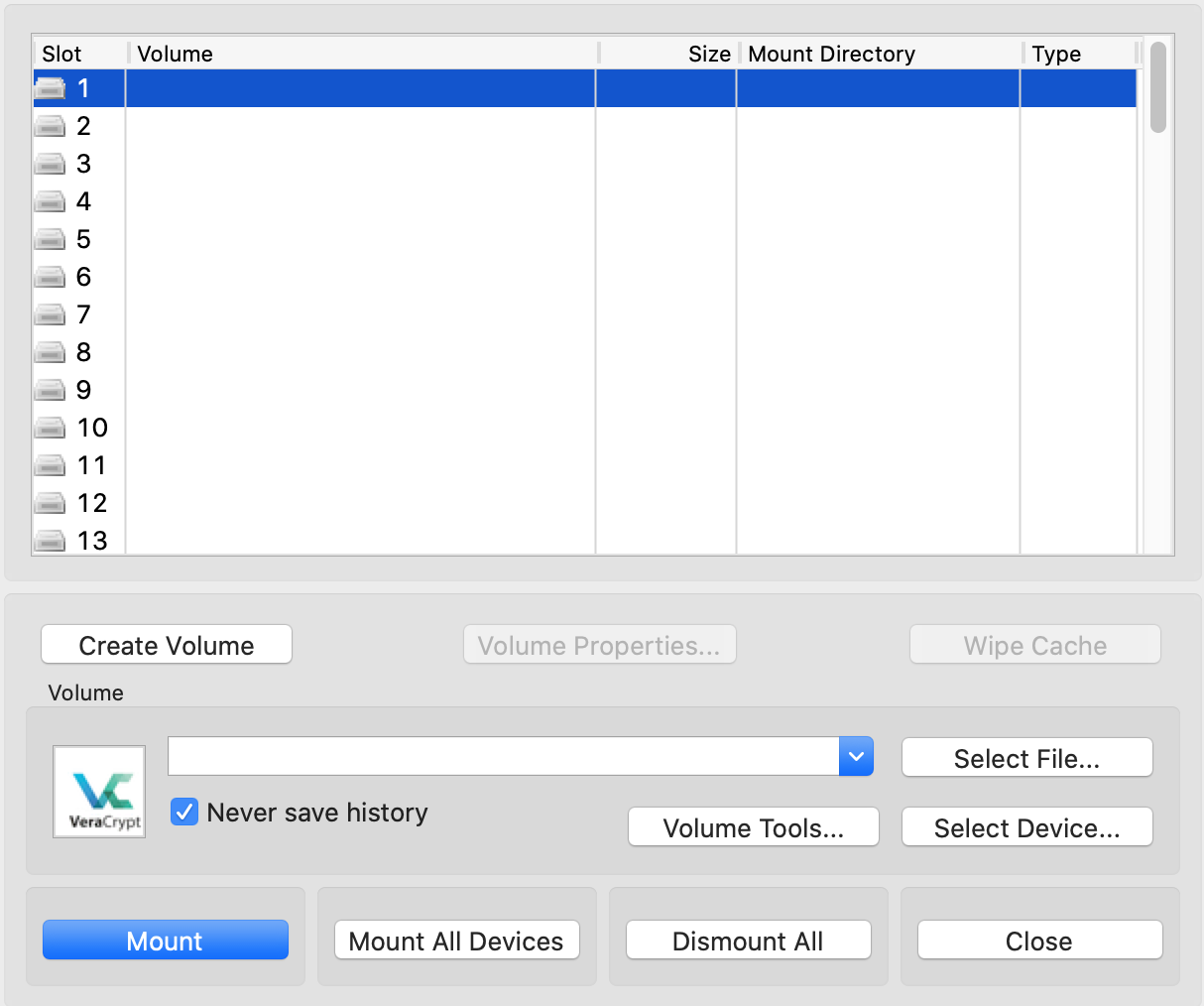
Once you've clicked on "Create Volume" you'll have an option to create a "Standard VeraCrypt volume" or a "Hidden VeraCrypt volume".
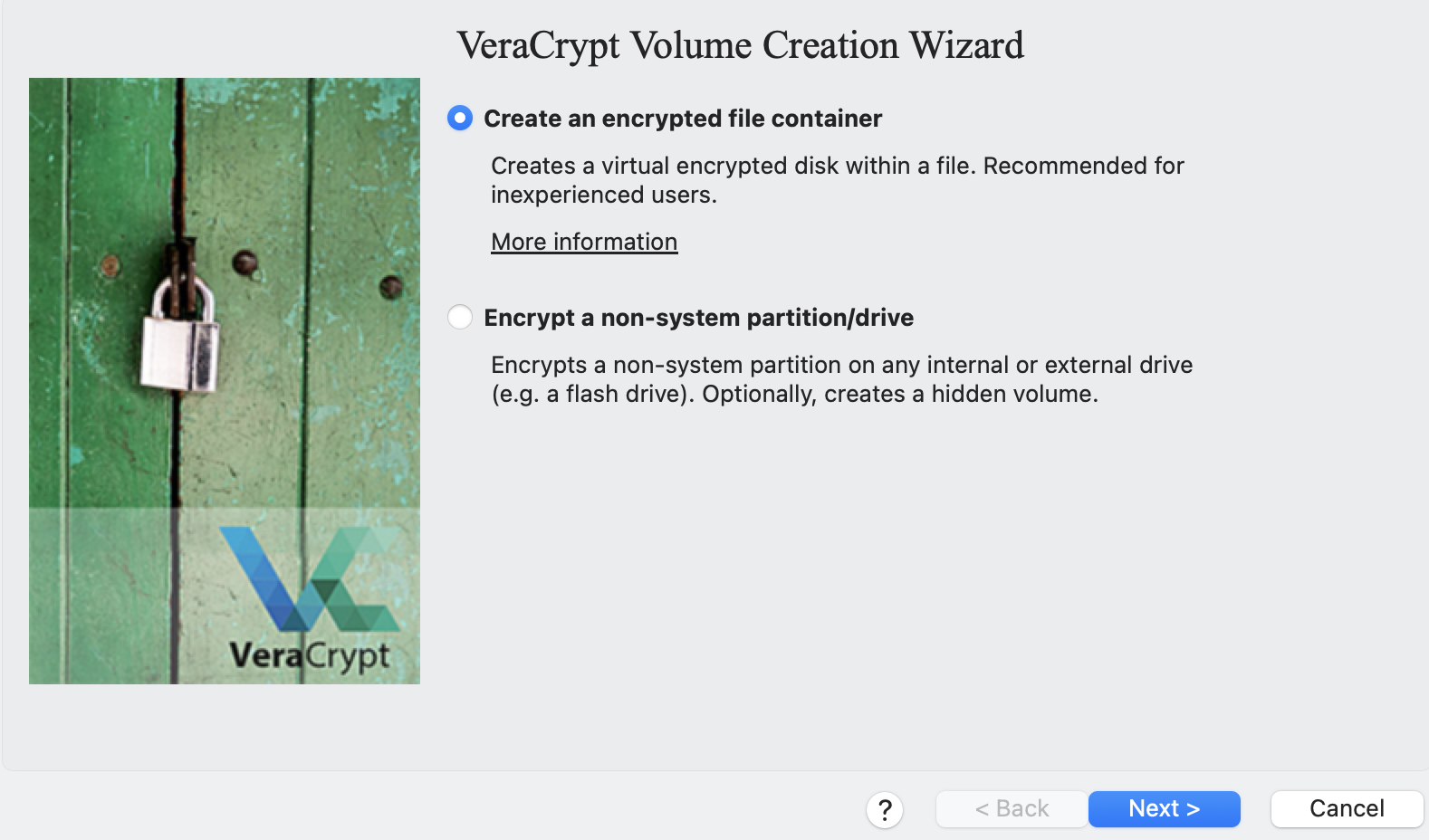
After researching into the Hidden VeraCrypt volume it's advisable to create this type of volume when you're comfortable in using VeraCrypt. A hidden volume is an encrypted section that is stored within another encrypted section. When you encrypt a USB with a hidden volume using VeraCrypt it will fill the entire USB with random data to its capacity and appear as if only one section is encrypted. You can store decoy fake ass files in the first encrypted section in case you'll forced to supply your password and have your hidden container still encrypted and secured with your devious files.
It's best to try VeraCrypt out first and encrypt a USB to ensure everything is functioning to your liking before committing to keeping everything on a USB. You want to feel comfortable encrypting and decrypting before putting all your hard earned BTC on a USB only to fuck it all up and corrupt the data.
I'd recommend in encrypting a USB and testing it all out and then re-crypting the USB using a hidden volume and test that out too. Everyone is different on how they operate so figure out what works for you.
If you want more information on VeraCrypt Hidden volumes then click on "More information about hidden volumes" when setting your shit up with VeraCrypt. Also, check into the "Security Requirements" as well along with "Precautions Pertaining to Hidden Volumes".
When you come to the option of which Encryption Algorhythm to use it's recommended to select "AES" with "SHA-512" or "Whirlpool". The choice of encryption algorithm does not affect securing your data. AES-256 encryption will be exactly as secure as Serpent(AES) or Serpent(Twofish(AES)) but considering AES is the only hardware-accelerated encryption algorithm in all reasonably modern processors choosing any encryption algorithm other than AES-256 will unnecessarily slow down your reading and writing speeds without providing any additional security benefit.
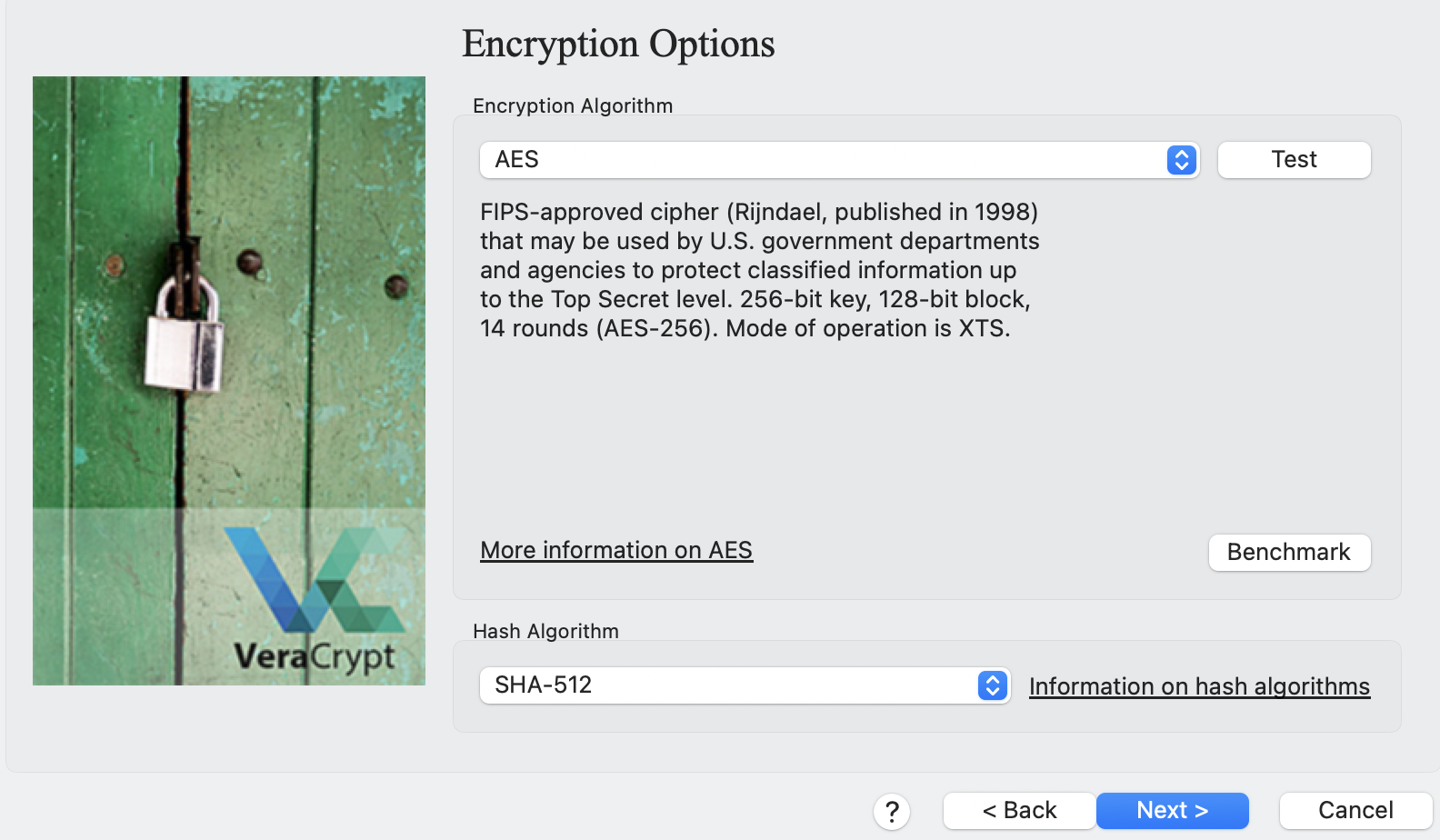
You can read up more VeraCrypt and the encryption algorithms below.