HackTown
Cyber Criminal University - Home

You are not logged in. You will only be able to access the courses in GREEN from the course list.
Chapter 2 - Pre-Requisites
Computer/Laptop
The more memory your computer has the better it will be because being able to run multiple VM's at once is very beneficial. When you run VM's you dedicated some RAM to those machines and operating smoothly is what everyone wants. Hard drive space is important too if you plan on having a multiple VM's as each can take up to 10GB each minimum.
"Professional" cybercriminal maniacs have their machines like:
Download VirtualBox and the VirtualBox Extension Pack from:
https://www.virtualbox.org/wiki/Downloads

Once VirtualBox is installed double click on the VirtualBox Extension Pack you downloaded to install it to ensure VirtualBox runs smoothly for this course!
Download Kali VirtualBox
https://www.kali.org/get-kali/#kali-virtual-machines

Some people may want to use Kali as their main OS or boot Kali directly from USB. If you choose to do this then make sure to download the right Kali ISO instead.
Make sure you select the right ISO for you!
If you do decide to boot from USB that then we'll need to install the Kali Linux ISO onto USB so we can boot directly from it. You'll need a USB preferably with 6GB capacity or more. If you decide to use Kali in a VM this is fine as well.
Download Etcher to install an operating system (OS) on USB to start-up from:
https://etcher.balena.io
Once Etcher is installed plug in your USB, run Etcher, and click on "Select image", then select the Kali ISO, and click "Flash".
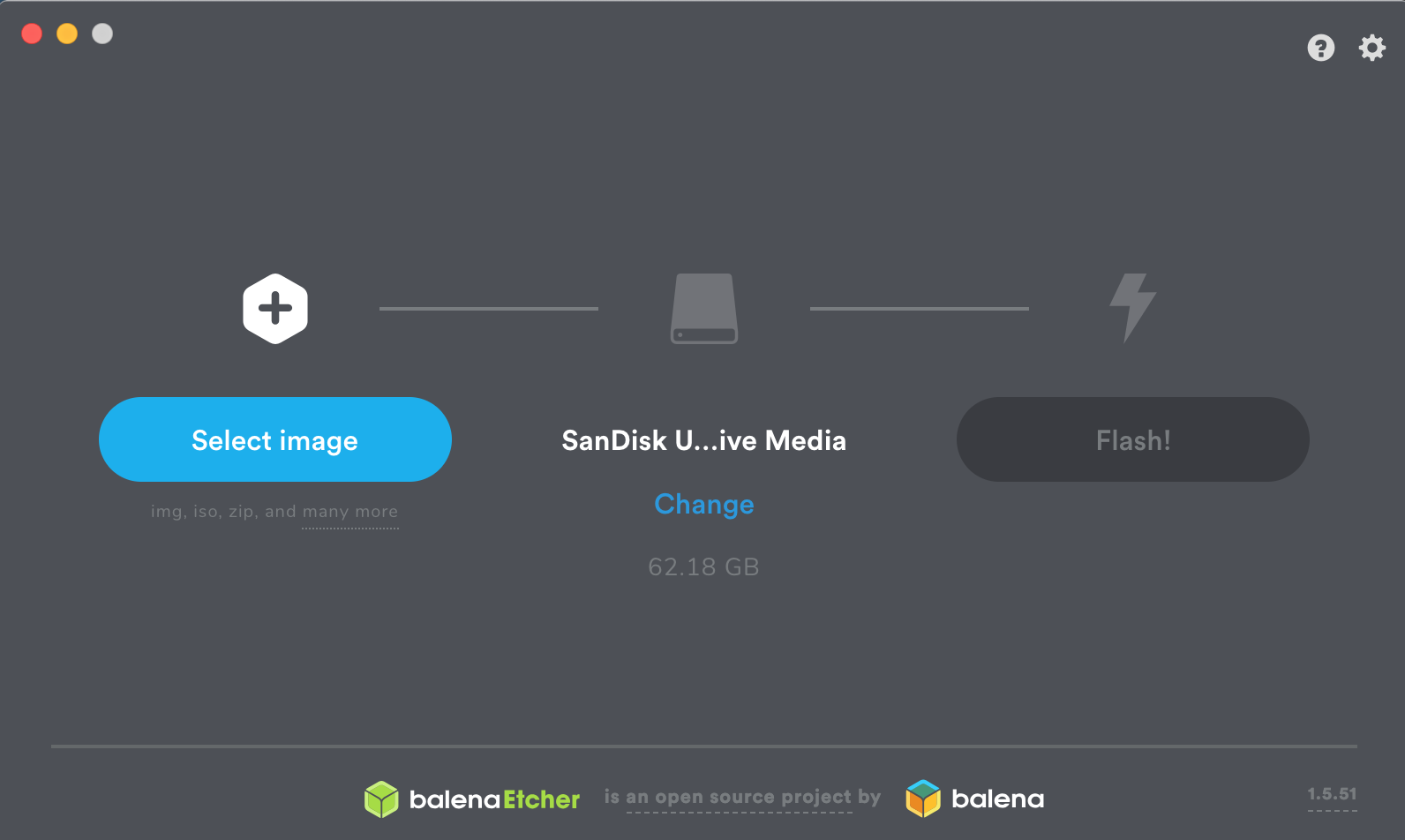
Once you've installed Kali to the USB you can now boot directly from it.
Let's continue to setup our Kali machine
If you downloaded the Kali VirtualBox file it simply double click on the file to import it into VirtualBox. This may take a few minutes. Once that's done let's setup the Kali machine.
In Virtualbox, select your Kali VM, and click on "Settings" then click on "Network" and make sure your network adaptor is set to "Bridged Adapter".
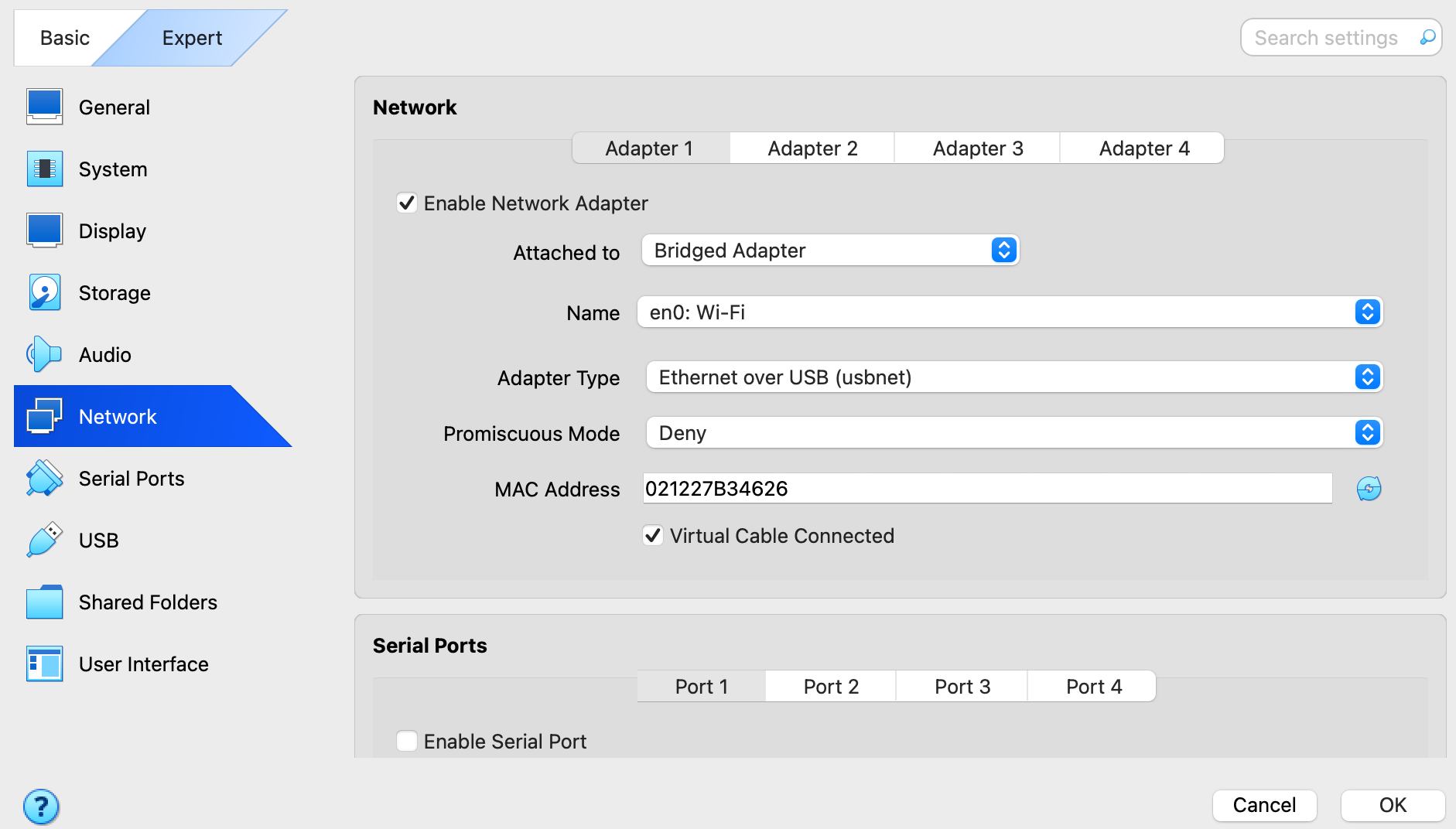
Once you've configured the network portion properly start your Kali VM and once Kali loads open Terminal and type the following into it:
sudo apt update && sudo apt dist-upgrade -y && sudo apt install net-tools imagemagick ghostscript gedit bettercap dsniff driftnet python3-pip hostapd hostapd-wpe python-dev-is-python3 python3-setuptools libnl-3-dev libnl-genl-3-dev libssl-dev wifiphisher wifipumpkin3 libpcap-dev hcxtools xterm hostapd-mana isc-dhcp-server asleap mdk4 beef-xss lighttpd python3-bluepy python3-zombie-telnetlib burpsuite python3-venv -y && sudo apt autoremove -y
python3 -m venv ACTII
source ACTII/bin/activate
pip install colorama pysnmp
pip3 install pyftpdlib
git clone https://github.com/bitbrute/evillimiter.git
cd evillimiter
sudo python3 setup.py install
cd
rm -r evillimiter
git clone https://github.com/threat9/routersploit.git
cd routersploit
pip install -r requirements.txt
cd
git clone https://github.com/RUB-NDS/PRET.git
cd PRET
chmod +x pret.py
cd
git clone --depth 1 https://github.com/v1s1t0r1sh3r3/airgeddon.git
git clone https://github.com/ZerBea/hcxdumptool.git
cd hcxdumptool
make
sudo make install
cd
rm -r hcxdumptool
git clone https://github.com/spyboy-productions/CamXploit.git
cd CamXploit
pip install -r requirements.txt
chmod +x CamXploit.py
exit
If you get any errors at all when running the above command such as:
"E: Could not get lock ...."
Run the commands below before running the above command again:
sudo rm /var/lib/dpkg/lock-frontend
sudo rm /var/lib/dpkg/lock
sudo rm /var/cache/apt/archives/lock
Once you've run all those commands you can now run the above update command again with success.
When that's finished we're ready to go.
For best results moving forward:
- An attacker computer running Kali in VM or booting directly from USB.
- Take a Snapshot of your Kali machine once you've installed the pre-requisites.
- Launch a fresh Kali VM between testing of each tool or when you're in the wild.
- Use a separate computer to be the target (Windows 10+ or macOS all updated preferably).
- A home network (Preferably one you own and know the Wi-Fi password along with router admin interface password as well).
- Your Kali and target computer on the same network with Internet connectivity.
Right then it's time to educate ourselves a bit on some items that are important to know. Let's get right into it you kamikaze fucks!